
Getting Started
The Busy Professional's 15-Minute AI Starter Routine
You do not need an hour to start using AI. Here is a simple 15-minute morning routine that clears your inbox, drafts your replies, and sets your priorities for the day.
Practical AI tips for people who'd rather get things done than read documentation. Written by William Alexander.
You do not need an hour to start using AI. Here is a simple 15-minute morning routine that clears your inbox, drafts your replies, and sets your priorities for the day.

Nonprofit budgets are tight. Staff is stretched. AI will not replace your team, but it can give a three-person office the output of a five-person one. Here are four ways to start.
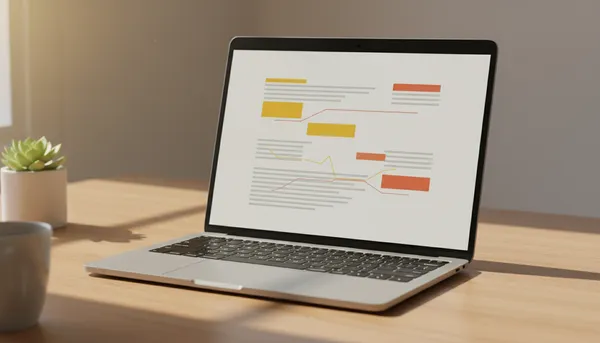
Meetings happen. Notes pile up. Here is a step-by-step walkthrough of using Claude AI to turn messy meeting transcripts into clean summaries and action items in under two minutes.

If you've been hearing about ChatGPT but aren't sure how it applies to your business, you're not alone. Here's a practical breakdown.

When you are the owner, the marketer, the bookkeeper, and the customer service department, every minute counts. Here is an honest look at whether AI tools are worth the investment for solopreneurs.

Every discovery call starts the same way. Here are the three things I tell every single person before we talk about tools, plans, or pricing.

Never used AI before? Perfect. Here's a plain-English guide to what it is, what it does, and three things you can try in the next five minutes.

You do not need a developer or a big budget. These three AI automations cost less than lunch and save hours every week. Here is the math.

You don't need a dozen apps. These five AI tools cover the basics for most small businesses, and several of them are free to start.

Not every AI tool needs an internet connection. Here are the ones that work when your WiFi is spotty, your hotspot is weak, or you are just somewhere without reliable service.
Email eats up hours every week. Here's how to use AI to draft faster, sound more professional, and stop staring at a blank screen.

Free AI tools are great, but some tasks need the paid version. Here is a simple framework to figure out when upgrading is smart and when free is all you need.
Two of the biggest AI tools go head to head. Here's an honest breakdown of when to use each one, from someone who uses both every day.

Imagine a realtor in the Roanoke Valley buried in admin work. Here's the kind of AI plan I'd build to give them their evenings back.